

We all know that exact feeling. You’re unboxing a piece of brand-new tech. You peel off that protective plastic film, catch that distinct scent of fresh factory silicon and premium packaging, and fire up the screen for the first time. It’s pure, unadulterated digital dopamine.But for a lot of us, that high is quickly followed by a cold splash of financial reality when the credit card statement updates a few days later.
the tech industry is a beautifully engineered hype machine. Silicon Valley has perfected the art of behavioral psychology. They know exactly how to convince you that a smartphone with a 4% faster processor, or a laptop with screens that are microscopic fractions of an inch thinner, is a life-altering upgrade you desperately need right now. We are constantly barraged by terms like “Next-Gen,” “Pro Ultra,” and “AI-Driven Architecture” until our perfectly functional current gadgets start to feel like ancient relics from the bronze age.
The result? Millions of people treat technology shopping like an emergency, paying massive launch-day premiums out of pure Fear Of Missing Out (FOMO).
But here is the inside secret: the tech market is actually incredibly predictable. Because hardware manufacturers operate on strict, rigid annual release calendars, prices don’t fluctuate randomly—they follow clear, exploitable cycles. If you can suppress the immediate urge to buy into the marketing hype, you can systematically outsmart the retail algorithms. You can absolutely own premium, cutting-edge gear without eating instant ramen for the rest of the month.
This is the definitive, no-nonsense strategy guide to dominating the online consumer electronics market, decoding spec sheets, and keeping your hard-earned money exactly where it belongs.
The 95% Rule: Weaponizing the Product Life Cycle
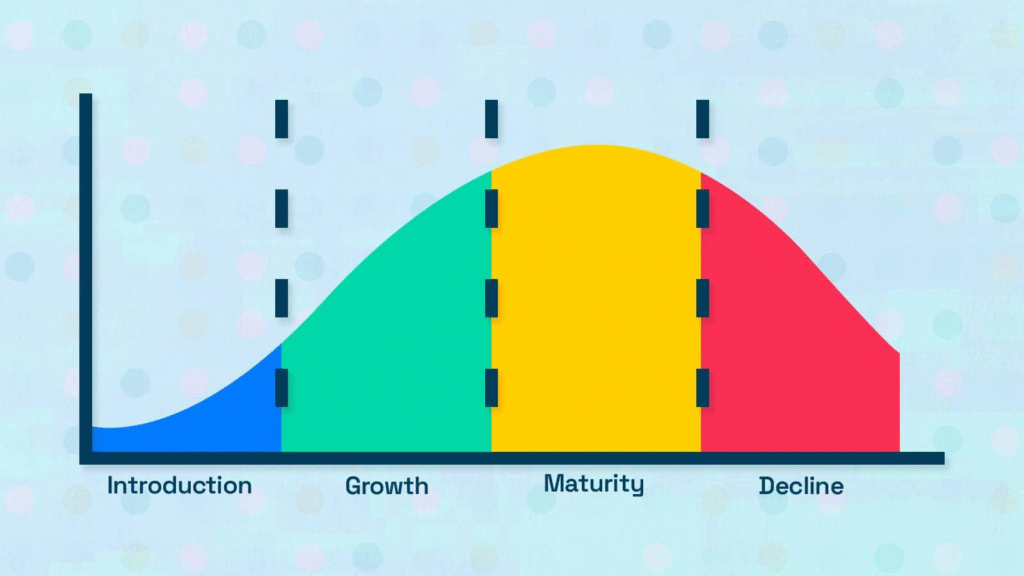
The single most effective way to save hundreds of dollars on tech is to understand the concept of the generational handoff.
Every major tech company—whether it’s Apple, Samsung, Sony, or Intel—operates on a predictable 12-to-18-month manufacturing cycle. When “Version 4” of a flagship device is officially announced, something fascinating happens in the background of retail networks. “Version 3” doesn’t suddenly stop working; it doesn’t magically become slower or less capable. It is still the exact same high-performance machine it was yesterday.
However, to a retailer, Version 3 has instantly transformed from a premium asset into a logistics nightmare. It is occupying valuable warehouse space that needs to be cleared out for the incoming wave of heavily advertised new models.
The Generational Handoff:
├── Launch Day (New Model)  ──> Premium Price + Zero Discounts (100% Cost)
└── The Sweet Spot (Old Model) ──> Slashing Prices to Clear Warehouse Space (~60-70% Cost)
This creates what I call The 95% Rule. In the modern tech landscape, year-over-year upgrades are rarely revolutionary. They are evolutionary. This year’s new laptop might be 5% faster in a benchmark test, but in real-world everyday use—browsing the web, typing documents, streaming video—you will notice absolutely zero difference.
By targeting the immediate previous generation the exact month the new model drops, you are essentially getting 95% of the performance for 60% or 70% of the cost. Let the tech influencers and early adopters pay the “innovation tax” on launch day. Your job is to swoop in right behind them and scoop up the mature, deeply discounted flagships.
Dismantling the Spec-Sheet Trap
Tech marketing is designed to make you overbuy. They want you to stare at a spec sheet and feel a sense of digital inadequacy.
You see a laptop configuration screen. The base model has 8GB of RAM and a standard processor. But right next to it is the “Extreme Creator Edition” with 32GB of RAM, a dedicated graphics processor, and a screen bright enough to light up a football stadium. It’s only an extra $400! You think to yourself, “Well, maybe I’ll start editing 4K video next year… I better get the upgrades just in case.”
Spoiler alert: you aren’t going to start editing 4K video next year. You are going to use that laptop for emails, Netflix, and spreadsheets.
Before you spend a single dollar online, you need to write down your Hard Utility Baseline. Strip away the emotional marketing and ask yourself what your actual, daily use case looks like.
| If Your Primary Use Is… | You Genuinely Need… | Do Not Waste Money On… |
| Basic Productivity (School, Office, Web Browsing) | Long battery life, comfortable keyboard, 8-16GB RAM. | High-end dedicated graphics cards, 4K laptop screens. |
| Content Creation (Video Editing, 3D Modeling) | Dedicated GPU, multi-core processor, color-accurate monitor. | Ultra-thin chassis designs that cause thermal throttling. |
| Mobile-First Life (Social Media, Casual Photography) | Excellent battery optimization, solid low-light camera. | Massive 512GB storage upgrades (use cloud storage instead). |
Buying more hardware than your daily life requires isn’t “future-proofing”—it’s just a donation to a tech conglomerate. Buy for the life you live today, not the life the commercials want you to buy into.
The Matrix of Price Surveillance: Looking Past the Sticker Price
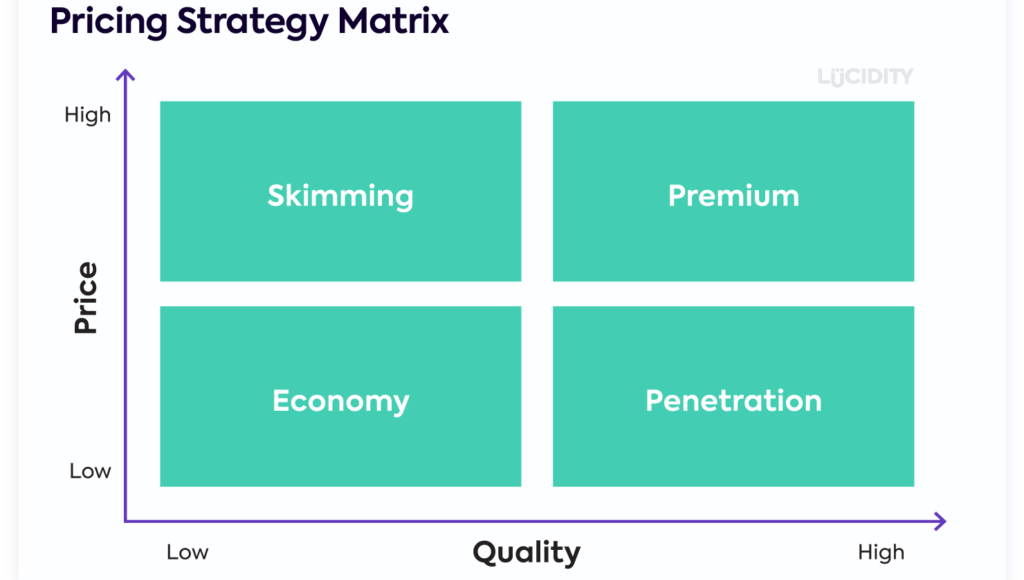
Online price comparison seems simple on the surface. You open three tabs, look at the price tags, and pick the lowest number, right? Unfortunately, e-commerce algorithms are far more complex than that. To find a genuine tech deal, you have to look at the total cost of ownership.
1. The Accessory Extortion
Many cut-rate online sellers will list a camera body, a drone, or a tablet at a price that seems suspiciously low—well below market value. But when you hit the checkout page, you realize the item doesn’t include the proprietary charging cable, a battery, or a basic lens. By the time you add the essential accessories required to make the device turn on, you’ve spent more than you would have at a reputable retail store. Always verify exactly what is inside the box before committing.
2. The Warranty Upsell
The checkout screen is where retailers make their real profit margins. They will present a flashing warning: “Protect your $800 investment! Add a 3-year extended protection plan for $149.” They play on your fear of dropping your new gadget.
Pro Tip: Check your wallet before you buy. Many premium credit cards (especially Visa Signature, Mastercard World Elite, and American Express cards) have an unadvertised perk: Automated Extended Warranty Protection. If you buy an eligible electronic device entirely using that card, the bank will automatically extend the manufacturer’s warranty by an additional year for absolutely free.
3. Shipping & Return Policy Fine Print
A tech deal is completely invalidated if the store charges a mandatory $25 shipping fee or features a predatory 15% restocking fee on returned electronics. If you open a laptop, realize the screen gives you eye strain, and try to send it back, a restocking fee means you just paid $120 to rent a laptop for three days. Stick to platforms that offer frictionless, zero-fee return windows for hardware.
Overcoming the Stigma: The Certified Refurbished Revolution

If you want to unlock the absolute deepest discounts in the technology world, you need to abandon the prejudice against the word “refurbished.”
There is a massive structural difference between buying a dusty, scratched-up smartphone from an unverified stranger on an online marketplace and buying a Manufacturer Certified Refurbished device.
When a consumer buys a brand-new tablet, opens the box, changes their mind 10 minutes later, and returns it, legally that item can never be sold as “new” again. It is sent back to the manufacturer’s factory. There, trained technicians run it through a rigorous diagnostic sequence. They swap out the outer casing, put in a completely brand-new battery, update the software, repackage it in a fresh white box with all original cables, and slap the exact same one-year warranty on it that a retail-grade item carries.
The Life of a Certified Refurbished Device:
Brand New Item ──> Open Box Return ──> Factory Inspection & New Battery ──> Original Warranty + 30% Price Cut
By choosing certified refurbished programs directly from ecosystems like Apple, Dell, or Samsung, you are essentially getting a pristine, factory-tested machine with a built-in 15% to 35% discount. In fact, one could argue a certified refurbished unit is actually more reliable than a brand-new assembly-line unit, because a human technician has personally inspected and verified that specific device’s internal components before shipping it out.
Tactical Ecosystem Blueprints
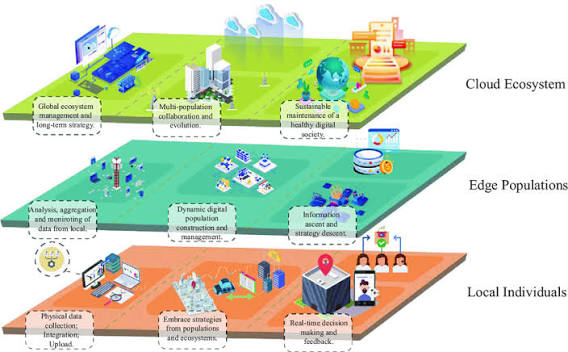
Different sectors of the tech world require completely different consumer habits. Let’s break down the rules for the major sub-categories.
1. Smart Home Automation (The Ecosystem Trap)
Smart light bulbs, security cameras, and smart thermostats are incredibly popular, but they carry a major hidden risk: ecosystem lock-in.
Retailers will often sell a smart speaker or a hub at an absolute loss just to get you into their ecosystem. Once you buy into their specific environment, you realize you can only buy compatible accessories, which happen to be significantly more expensive.
- The Strategy: Before buying any smart home gear on sale, look for universal compatibility standards (like Matter and Thread). If a device is locked down to a single proprietary app or assistant, skip it. You want an open home grid that lets you buy the cheapest compatible hardware regardless of who manufactured it.
2. PC & Console Gaming (The Hidden Cost of Refresh Rates)

Gaming hardware is an area where impulse buying runs rampant. The community is heavily driven by performance benchmarks and visual aesthetics (like RGB lighting everywhere).
- The Strategy: Never buy a high-end graphics card or gaming console without looking at your monitor first. If you are gaming on a standard 1080p television that refreshes at 60Hz, buying a graphics card capable of pushing 4K resolution at 144 frames per second is a complete waste of capital. Your screen physically cannot display the performance you just paid for. Match your output display to your internal hardware specs to avoid bottlenecking your finances.
3. Tech Accessories (The High-Markup Danger Zone)
When you buy a premium smartphone, the salesperson will immediately try to sell you a $40 protective case and a $30 wall charger block. This is where they recover their profit margins.
- The Strategy: Buy your core device bare, and source your accessories from specialized, high-quality third-party manufacturers (like Anker or Spigen) online. You can get the exact same tier of military-grade protection and faster Gan (Gallium Nitride) charging bricks for a third of the price the big-name brands charge on their official storefronts.
The Dark Psychology of Tech Sales: Spotting the Scams

Because electronics are high-ticket items, they are prime targets for highly deceptive digital marketing maneuvers. You must stay vigilant against these three specific traps:
1: The “Spec Stuffing” Clone
If you search an e-commerce platform for a tablet or a portable hard drive, you will often find off-brand listings boasting absurd specifications for pennies on the dollar. For example: “16TB External SSD for only $39!”
This is a physical impossibility. True solid-state storage costs money to manufacture. These listings are outright scams utilizing hacked firmware. The drive inside is usually a cheap, slow 32GB flash drive configured to lie to your computer’s operating system about its true capacity. The moment you try to copy files past the real limit, your data overwrites itself and corrupts completely. Stick to trusted, verified storage brands. If a price seems completely detached from reality, it is a scam.
2: Artificial Scarcity Engines
Tech websites love using flashing countdown timers and high-pressure text: “14 people are viewing this laptop right now!” or “Sale ends in 42 minutes!”
This is an algorithmic parlor trick designed to induce a state of cognitive overload. They want you to make an emotional, panic-based decision because an anxious brain doesn’t take the time to run a price comparison check on a competitor’s site. Take a deep breath, open a separate incognito browser tab, and verify the price across the web. The timer is almost always an illusion.
The Ultimate Tech-Buying Framework

To ensure you never experience buyer’s remorse again, run every single electronics purchase through this strict four-step framework before entering your payment details:
The Consumer Tech Gatekeeper:
1. Define the Baseline ──> What am I actually using this for every single day?
2. Run the Price History ──> Is this price an actual discount or an anchored illusion?
3. Check the Total Cost  ──> Do I need to buy cables, adapters, or subscriptions to make it work?
4. Enforce the 48-Hour Rule ──> Sleep on it. If the urge fades, your wallet wins.
- Isolate the Core Need: Why am I buying this? Am I fixing a genuine frustration in my daily workflow, or am I just bored and looking for a quick hit of consumer novelty?
- Audit the Price History: Use historical tracking databases to see if the current “deal” is an authentic historical low or just an anchored markdown from an inflated MSRP (Manufacturer’s Suggested Retail Price).
- Account for the Secondary Cost: Does this new device require me to buy new dongles, adapter bricks, upgraded cloud storage tiers, or software subscriptions? Calculate the true total cost of ownership for year one.
- The 48-Hour Cool Down: Close the tab and walk away for two full days. If you completely forget about the item, you didn’t need it. If you are still thinking about how it solves a genuine problem in your life after 48 hours, proceed with the transaction using your stacked discounts.
At the end of the day, technology should be a tool that serves your life, streamlines your workflow, and brings you joy—not a financial burden that keeps you stressed. By shifting your mindset from a passive consumer to an intentional, tactical buyer, you can easily navigate the digital retail space, ride the waves of the manufacturing cycle, and enjoy the absolute best gear the world has to offer while keeping your financial baseline perfectly secure.
Frequently Asked Questions
1.How can I find the best tech deals online?
Compare prices across multiple retailers, look for seasonal sales, subscribe to retailer newsletters, and search for verified coupon codes before completing your purchase.
2.When is the best time to buy electronics?
Major shopping events, holiday sales, back-to-school promotions, and periods following new product launches usually offer the biggest discounts.
3.Are refurbished electronics worth buying?
Yes. Certified refurbished devices are professionally tested, repaired if needed, and often include warranties, making them a reliable and affordable option.
4.Should I wait for a sale before buying tech products?
If your purchase isn’t urgent, waiting for a major sale can often help you save a significant amount of money.
5.How do I know if a tech deal is genuine?
Compare the current price with historical pricing, read customer reviews, and verify that the retailer is reputable before purchasing.