
Choosing a broadband package is one of those household errands that starts out deceptively simple. You think, “I just need decent internet,” and click a link. Then, thirty seconds later, you are staring down a wall of numbers—M125, M250, M500, Gig1—alongside a dizzying array of TV boxes, O2 mobile perks, data boosts, and multi-room WiFi guarantees. Suddenly, what should have been a quick ten-minute decision feels like trying to crack a code.
Virgin Media makes this choice feel both incredibly exciting and mildly overwhelming. Because they own and run their own independent cable network rather than renting lines from Openreach like BT, Sky, or TalkTalk, they can deliver raw download speeds that leave traditional copper and basic fibre lines in the dust. But they also love a bundle. They will happily combine your home internet with live TV packages, streaming subscriptions, home phones, and O2 SIM cards.If you want to make an intentional, value-driven choice rather than just biting on the first shiny introductory offer you see, you need to lift the hood on how these packages work in real life. Here is a down-to-earth, comprehensive breakdown of how to audit your household’s real data habits, cut through the marketing fluff, and pick the exact Virgin Media setup that keeps your home running smoothly without draining your wallet.
1. The Postcode Reality Check: Step Zero
Before you fall in love with a specific plan or get your heart set on lightning-fast multi-gigabit speeds, you have to run your postcode through Virgin Media’s availability checker.
Because Virgin relies on its own distinct infrastructure under the pavements, its coverage sits at just over 50% of UK households. If your street doesn’t have Virgin’s physical cabling, the best deal on paper won’t do you a bit of good.
Furthermore, even if Virgin services your area, the exact type of connection matters:
- The HFC Network: Most of Virgin’s network uses Hybrid Fibre-Coaxial cable. It delivers massive download speeds, but upload speeds are significantly lower (for example, a 264Mbps download might only give you around 25Mbps up).
- The Nexfibre Network: In newer expansion areas, Virgin is rolling out full fibre (FTTP) via a joint venture called Nexfibre. If you are on this newer footprint, you gain access to hyper-premium packages like Gig2, which feature much more balanced, symmetrical upload and download capabilities.
2. Deciphering the Speed Tiers: What Do You Actually Need?
It is incredibly easy to buy into “speed envy” and pay for a premium tier because a marketing banner told you it’s the best for families. But unless you are running a boutique data centre out of your spare bedroom, you might be throwing money away. Let’s look at the actual lineup and how each tier performs in a normal house on a rainy Sunday afternoon.
| Package | Average Download Speed | Average Upload Speed | Real-World Sweet Spot |
| M125 | ~132 Mbps | ~20 Mbps | Solo occupants, couples, or small flats where 1-4 devices are browsing and streaming HD content. |
| M250 | ~264 Mbps | ~25 Mbps | The genuine average household sweet spot. Great for families with 5-9 devices handling simultaneous 4K streams and casual gaming. |
| M350 | ~362 Mbps | ~36 Mbps | Busy households, remote workers shifting massive files, and gamers tired of waiting hours for 100GB game patches to download. |
| M500 | ~516 Mbps | ~36 Mbps | Smart homes packed with connected devices, security cameras, constant cloud backups, and intensive multi-screen 4K streaming. |
| Gig1 | ~1,130 Mbps | ~52 Mbps | Extreme power users, large multi-generational families, or shared student houses where everyone is online at once. |
The Solo or Light-Use Home: M125
If your internet use looks like checking emails, scrolling through social media, working on basic spreadsheets, and streaming a Netflix show in the evening, M125 is plenty. At roughly 132 Mbps, it handles normal daily life with absolute ease. You do not need to pay a premium for speed you will literally never utilise.
The Standard Family Sweet Spot: M250 to M350

The moment you have three or four people under one roof, the device count climbs rapidly. Think about it: two parents on laptops, a teenager streaming Twitch, a couple of smart TVs, plus everyone’s smartphones connected to the WiFi.
M250 (264 Mbps) or M350 (362 Mbps) represents the sweet spot here. These tiers give you enough headroom so that when someone starts downloading an enormous software update in one bedroom, the person trying to watch a 4K movie in the living room won’t experience annoying buffering wheels.
The Power User Sandbox: M500 to Gig1
If you regularly move massive assets up to the cloud for work, run a household of hardcore online gamers who demand flawless latency, or just want absolute peace of mind that your network will never choke under pressure, the M500 or flagship Gig1 plans are built for you. Just remember that Virgin’s cable network is a shared medium—meaning your neighborhood shares local node capacity. If everyone on your block is hammering the network between 8:00 PM and 10:00 PM, a Gig1 pipeline gives you a massive buffer so your speeds stay ultra-fast even during peak hours.
3. Demystifying the “WiFi Max” Guarantee

Headline broadband speed is only half the battle. A 500 Mbps connection coming into your hallway wall doesn’t do you any good if the signal drops to a crawl by the time it travels through two brick walls into your upstairs bedroom. This is where wireless dead zones ruin a great package.
Virgin Media addresses this with an add-on called WiFi Max. It is backed by their “Intelligent WiFi” system and a financial promise: they guarantee download speeds of at least 30 Mbps in every single room of your house, or they will give you a £100 bill credit.
[Virgin Fiber Line] ---> [Hub Router] ... (Wall Barrier) ...> [WiFi Pod] ---> Flawless 30Mbps+ in Bedroom
Here is how it plays out practically:
- The Hardware Solution: If you sign up for WiFi Max and find a room that isn’t hitting that 30 Mbps threshold, Virgin will send you up to three WiFi Pods (mesh signal boosters) free of charge to spread the coverage across your floor plan.
- The Cost Variable: If you are on the top-tier Gig1, Gig2, or any Volt bundle, WiFi Max is completely free. If you choose an M50 to M500 standalone plan, you can add it for an extra £8 a month.
The Decision Rule: If you live in a modern, single-story flat or a small, compact terrace house, save your £8 a month. The standard Hub router will likely cover your space perfectly. But if you live in a sprawling, multi-story home, a house with thick solid stone internal walls, or an extended property where the router sits far away from the home office, paying for WiFi Max (or opting into a Volt package that includes it) is arguably more important than upgrading the base speed tier.
4. Broadband-Only vs. Bundles: The Value Trap

Virgin Media loves to bundle services together, often tempting you with an all-in-one package that includes television, landlines, and mobile SIM cards. It is incredibly easy to look at a bundle and think, “Well, for just an extra £10 a month, look at all this extra stuff I get!”
But an extra service is only a bargain if you actually use it. If you don’t, it’s just an unnecessary monthly tax.
When to Stick to Broadband-Only
If your household’s entertainment setup is entirely app-based—meaning you stream everything through Netflix, Disney+, BBC iPlayer, or YouTube—skip the TV bundles entirely. A clean, streamlined broadband-only plan keeps your monthly bill completely focused on the utility you actually rely on. There is no point in paying for a 200-channel television tier if nobody in your house has watched linear broadcast TV in five years.
When a TV Bundle Makes Sense
If you are someone who still loves the traditional, seamless experience of live broadcast TV, or if you are a major sports or cinema fan, Virgin’s TV bundles are highly competitive. Their packages frequently include their 4K-ready TV boxes and can pack in premium additions like Sky Cinema HD, Sky Sports, or TNT Sports on a single bill. Virgin also offers Flex TV on some plans—a setup where you get a basic stream box with a 24-month broadband contract, but you can turn premium channel subscriptions on or off every 30 days. It gives you the flexibility of a modern streaming app with the integration of an all-in-one box.
5. The O2 Connection: Maximising “Volt” Benefits
In the UK broadband market, corporate mergers often result in great perks for savvy consumers. Because Virgin Media and mobile giant O2 operate under the same parent company, combining their services unlocks a suite of benefits called Volt.
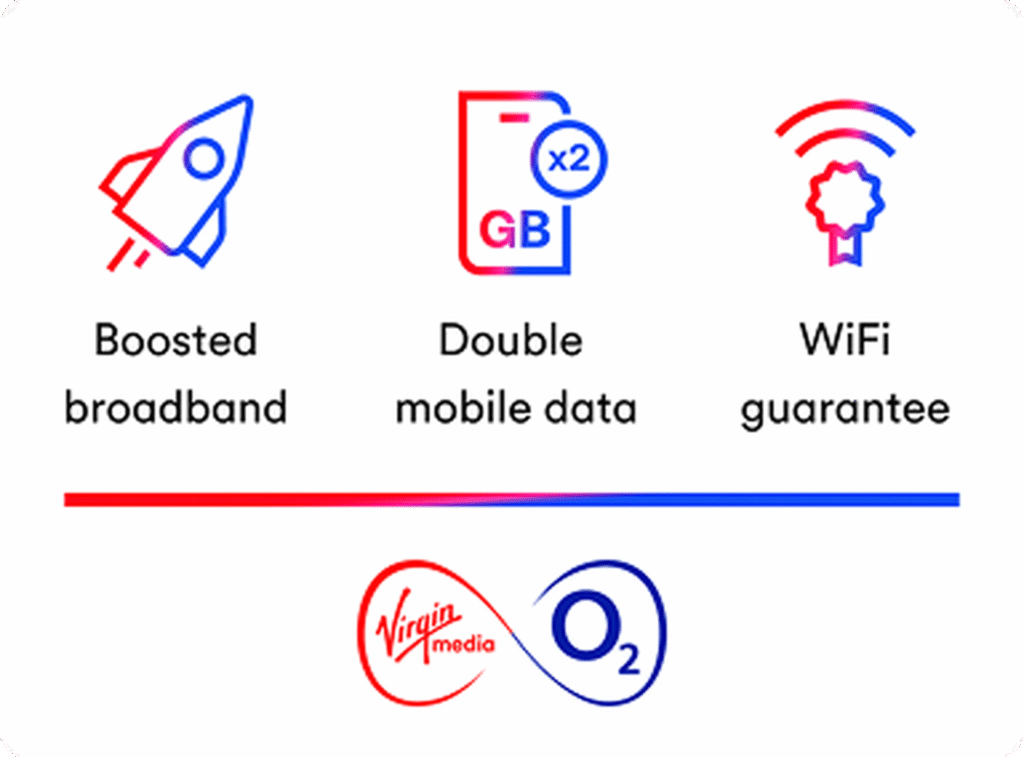
If you choose a Virgin Media broadband plan and either already have an eligible O2 Pay Monthly SIM or add one to your basket at checkout, the system instantly triggers an automated upgrade across both accounts at no extra charge:
- The Speed Bump: Virgin will automatically boost your home broadband to the next available speed tier. For example, if you pay for an M125 plan, Volt instantly kicks you up to the M250 speed tier without charging you the M250 price.
- The Mobile Double-Up: O2 will instantly double the monthly mobile data allowance on your eligible phone plan.
- Free WiFi Security: You automatically get the WiFi Max guarantee and free access to those plug-in WiFi Pod mesh boosters if your home has coverage gaps.
- Travel Perks: You unlock O2 Travel Roaming, allowing you to use your phone data in 75 international destinations without extra roaming fees.
Shopping Advice: Always look at the total combined math. Sometimes, buying a lower-tier Virgin broadband package and adding a cheap, standalone O2 SIM card on the side is actually cheaper than buying the higher broadband speed on its own—and you get the mobile data to boot.
6. The Support Ecosystem: What Happens After Setup?
A broadband contract is usually a long-term commitment—typically 18 to 24 months. Because of this, you should look beyond the initial installation day and consider what it’s like to live with the provider on a random Tuesday morning when your connection suddenly drops.
Virgin Media invests heavily in a comprehensive digital support ecosystem. Through their Connect App and online customer help area, you can easily run diagnostic tests on your connection, check local area service status updates to see if there is a known neighborhood outage, manage your router’s guest network settings, and test individual room wireless performance.
However, it is worth keeping a balanced perspective on customer service. Historically, like many of the UK’s massive utility and telecoms giants, Virgin Media has faced criticism in independent consumer satisfaction surveys regarding telephone wait times and complex cancellation pathways. They do participate in the industry’s Automatic Compensation scheme, meaning you receive bill credits if your service suffers from delayed activations or prolonged unaddressed faults. Utilizing their digital self-service tools inside the app is almost always the fastest and least frustrating way to handle routine troubleshooting or setting up a new Hub.
7. The Crucial Small Print: Price Rises & Social Tariffs

When evaluating any broadband provider, you have to read the terms and conditions with a critical eye, specifically looking at how your monthly bill changes over time.
Mid-Contract Price Rises
Virgin Media contracts generally run for 18 to 24 months, featuring a discounted introductory rate for new customers. It is vital to remember that these packages are subject to mid-contract price adjustments. Virgin implements scheduled annual price increases—typically taking effect around April each year—which are often flat-rate adjustments (like a £4 per month increase). Make sure you factor this predictable step-up into your long-term monthly household budget so you aren’t caught off guard when the spring bill lands.
A Fair Option: The Essential Broadband Social Tariff
If keeping your monthly outgoings as low as humanly possible is your primary objective, and you receive qualifying government assistance, skip the commercial marketing pages entirely and look at Virgin’s Essential Broadband options.
Unlike standard commercial contracts, these social tariffs are designed explicitly for financial accessibility:
- The Essential Plan (£12.50/month): Delivers an average speed of 15 Mbps. It is a streamlined, no-frills pipeline perfectly suited for one person to browse the web, manage administrative tasks, check emails, and stream basic video.
- The Essential Plus Plan (£20/month): Bumps your speed up to an average of 54 Mbps. This extra headroom easily accommodates small, budget-conscious households where multiple people might need to stream HD video or make video calls concurrently.
- The Ultimate Flexibility: Both social tariff tiers run on a rolling 30-day contract. There are no long-term 24-month tie-ins, zero exit fees if you need to cancel next month, and they are completely exempt from the annual April price increases. The price stays locked.
Frequently Asked Questions
1.What is the first thing I should check before choosing a Virgin Media broadband package?
The first thing to check is postcode availability, because Virgin Media says package options depend on your area. After that, compare whether you need broadband only or a bundle with TV, phone, or SIM benefits.
2.Is Virgin Media WiFi Max available on every package?
No. Virgin Media says WiFi Max is available to residential broadband customers on M50 broadband or faster, with some exclusions, and it is included at no extra cost for Ultimate Oomph, Gig1, and Volt customers. Other eligible customers can add it for £8 a month.
3.What does the Virgin Media WiFi guarantee promise?
Virgin Media says its WiFi guarantee promises download speeds of at least 30Mbps in every room or £100 bill credit, backed by Intelligent WiFi and up to three WiFi Pods if needed.
4.Should I choose broadband only or a bundle?
Choose broadband only if you mainly need internet. Choose a bundle if you also want TV, a landline, or mobile-related benefits such as Volt features. Virgin Media’s package pages show both options.
5.Does Virgin Media have options for lower-income households?
Yes. Virgin Media offers social tariff broadband from £12.50 a month for eligible customers receiving Universal Credit, Pension Credit, and some other qualifying benefits.